 (208) 991-3502
 Meridian, ID



Golf Simulator Installation
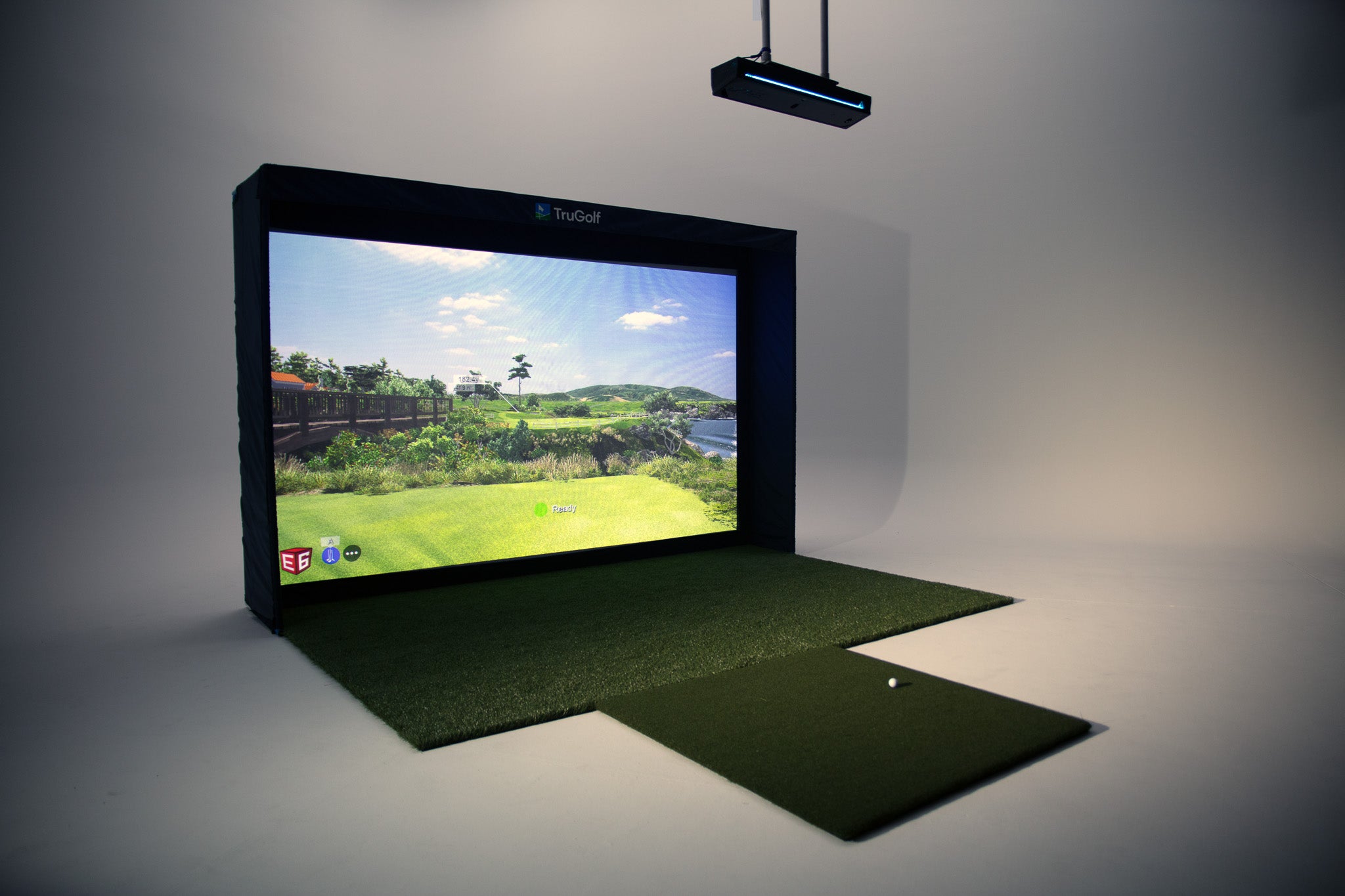
Golf Simulator Installation, Planned Around the Room
Treasure Valley Solutions plans golf simulator installations for homeowners, builders and commercial venues across the Treasure Valley. We start with the room, intended use and user swing—not a package assumption—then define an equipment and installation scope that can be checked before purchase.
This page is the installation service: room suitability, system coordination, installation responsibilities, setup and handoff. For product discovery and existing TruGolf product guides, visit the golf simulator equipment explorer. Current equipment availability, specifications, package contents, compatibility and software licensing can change and must be confirmed for the configuration being considered. TVS is an independent installer, not an official TruGolf dealer.
Choose a project path
- Commercial golf simulator installation — evaluate venue layout, single or multi-bay workflows, shared AV/network and commercial-use licensing.
- Custom home golf simulators — coordinate a complete room, enclosure, screen, projector, launch monitor and optional home technology.
- Garage golf simulator installation — check garage-door movement, swing clearance, shared parking, equipment environment and trade coordination.
- TruGolf simulator installation — compare equipment configurations and plan a licensed, installation-ready system.
A practical installation process
1. Assess the room and the players
We review usable width, depth and height; golfer height and swing; handedness; hitting location; circulation; ceiling fixtures; doors; windows; storage; and the intended number of players. Garages need a check with the door both open and closed. Commercial rooms also need safe guest movement, bay separation, staff access and accessible paths. Manufacturer dimensions and placement rules vary by configuration, so a generic minimum-room claim is not a substitute for measurement.
2. Design the equipment positions
The screen and enclosure, hitting surface, launch monitor, projector, computer, network connection and user controls need to work together. We consider image fill and projector throw, shadows, impact exposure, swing clearance, cable access, equipment ventilation and serviceability. Display, audio, lighting scenes, cameras and smart-home integration are optional choices, included only when itemized in the approved scope.
3. Select equipment and confirm dependencies
We can help compare available launch-monitor, enclosure, projection and software configurations against the room and intended use. Before purchase, confirm the current package contents, supplier availability, warranty, hardware compatibility, computer requirements, software edition, license, course access and renewal terms. Commercial use may require different licensing than home use. A product-page price, if shown, is not a quote for a completed installation.
4. Coordinate the installation scope
An approved proposal identifies supplied equipment, installation tasks, low-voltage connections, software setup, calibration and agreed testing. TVS does not assume electrical circuits or outlets, structural modifications, HVAC, insulation, conduit, drywall, painting or general room construction. Those are coordinated with the responsible qualified trades unless a separate written agreement expressly assigns a specific scope. Power readiness and code compliance are confirmed by the responsible electrical professional.
5. Configure, test and hand off
We set up only the listed hardware and customer-provided or purchased licensed software, then validate the agreed alignment, projection, tracking and normal-use workflow. Training, documentation, warranty administration, future recalibration and ongoing support are included only when written into the project scope. Timing depends on scope, access, equipment availability and trade readiness; no fixed installation window or response time is promised.
What shapes the project scope?
There is no single installed price for every simulator. Scope depends on room readiness, selected equipment, enclosure and screen, projector and lens, launch monitor and mounting, computer/software licensing, cable access, existing network, integration choices, commercial requirements, installation access and the work of other trades. Equipment-only pricing and recurring software or support costs should be kept distinct from installation and room work. Request a project-specific review rather than treating an online package price as an installed quote.
Plan a new-build room before rough-in
If the room is being built or remodeled, agree on swing and room dimensions, equipment locations, low-voltage cabling, network access, power coordination with the electrical trade, future service access, approvals and rough-in milestones before walls close. See the golf simulator prewire checklist and residential builder technology solutions.
Common questions
Can any spare room become a simulator room?
Not always. Ceiling height, safe swing clearance, room shape, doors, fixtures, projector throw, screen dimensions and the selected launch monitor all matter. We assess the actual room and configuration before confirming fit.
Does TVS install electrical circuits or outlets?
Electrical installation is not assumed in the simulator scope. We coordinate requirements with the responsible electrical professional; any electrical work must be separately assigned to an appropriately qualified trade.
Are equipment and software included?
Only where the written proposal states so. Equipment procurement, setup, software licenses, subscriptions, optional accessories and room work can be separate items. Confirm current terms and compatibility with the manufacturer or provider.
Do you install commercial simulators?
We can review commercial venue projects, including bay layouts and shared infrastructure. Commercial-use licensing, operating requirements, equipment selection, commissioning and support need project-specific confirmation. See commercial golf simulator installation and the existing business planning guide.
Is the consultation an appointment or equipment order?
No. Use the contact link to describe what you know about the space and project. It is a consultation request, not an appointment booking, product purchase or partner application.
Brands That Fit This Installation
Catalog-backed options selected for this type of project.