 (208) 991-3502
 Meridian, ID



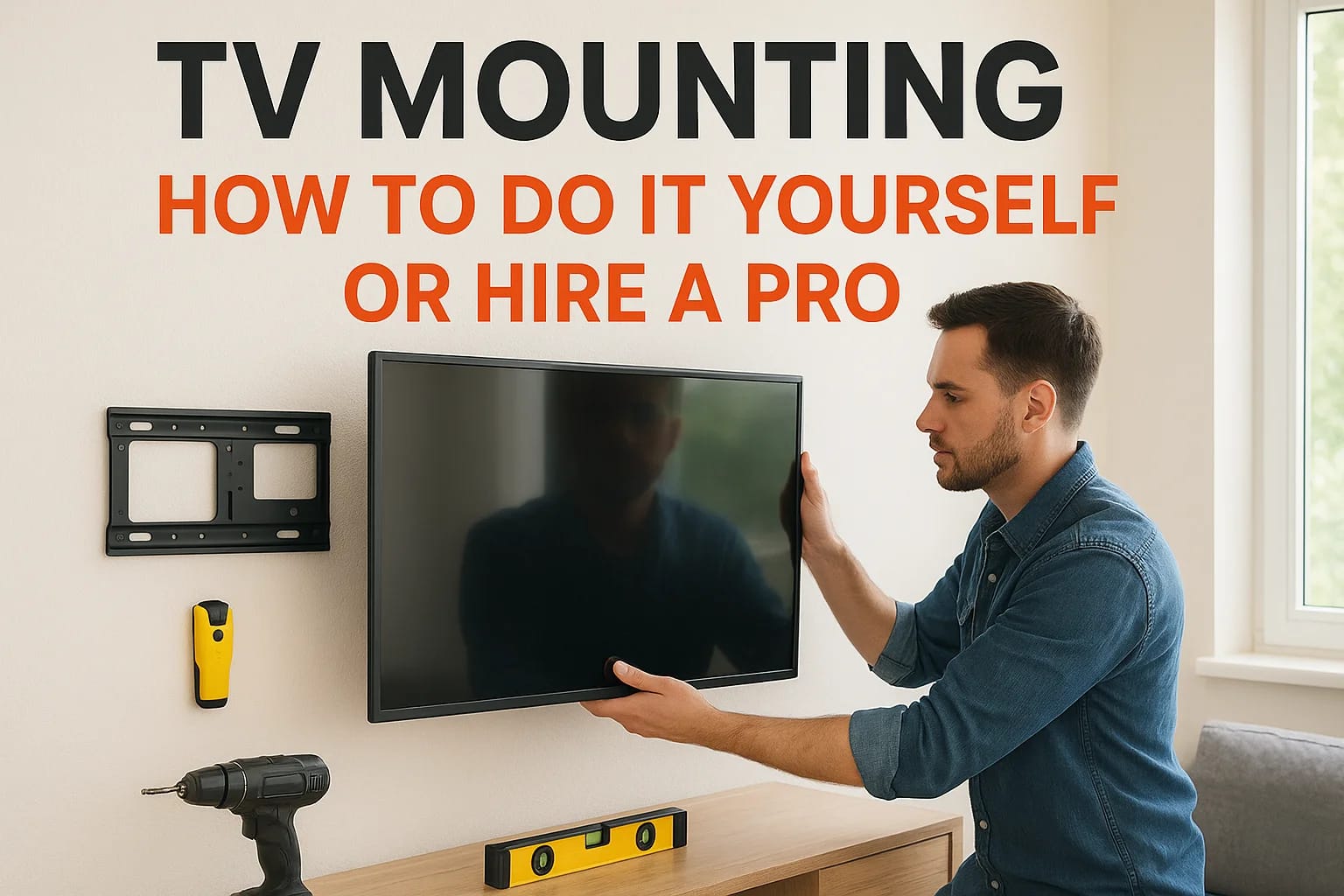

You bought a new TV, and now it's sitting on a stand while you figure out how to get it on the wall without cracking the screen or drilling into a stud that isn't there. TV mounting looks simple in a...
DIY or professional installation: a practical decision
DIY can be reasonable when you can verify the structure, follow the exact mount and TV instructions, work safely with a helper, and accept the time and repair risk. Screen size alone does not establish safety. A single-stud installation is suitable only when that exact mount, fasteners, backing, and wall assembly are expressly rated for the TV and the intended motion.
- Tools and time: budget for layout, locating and verifying structural backing, checking concealed utilities, drilling the correct pilot holes, leveling, torque requirements, lifting, cable testing, and cleanup. A stud finder, level, tape measure, appropriate drill/bits, specified fasteners, and a safe lifting plan may be needed. Do not assume a short universal install time.
- TV and bracket: check actual weight without the stand, VESA pattern, screw length, spacers, bracket rating, and access to ports. Full-motion arms increase leverage. Have enough people to lift the panel without loading the screen.
- Wall assembly: drywall is not structural backing. Plaster/lath, metal studs, missing backing, masonry veneer, tile, and unknown construction need a suitable engineered or manufacturer-approved attachment method, not generic anchors.
- Fireplaces: stop for model-specific fireplace, TV, and mount instructions, heat/clearance assessment, flue location, viewing height, and motion envelope. A cooler wall or pull-down bracket alone does not establish safety.
- Wiring: only appropriately rated signal cables may use a permitted wall pathway. Never bury ordinary flexible power cords. New electrical work needs appropriately licensed evaluation. Blocking, fire stops, insulation, and repair access can change feasibility.
- Risk and permissions: get owner/landlord permission, consider hidden utilities and wall damage, and ask the installer to document scope and exclusions. Hiring help does not eliminate every risk; ask how uncertain conditions will be handled before drilling.
If you already have the right tools and verified backing, DIY can save service labor. If the wall, lift, fireplace, or cable route is uncertain, an assessment can be more useful than buying tools for an unverified method. Compare your actual tool/hardware/repair costs with local labor and hardware examples, not a promised DIY saving.
You bought a new TV, and now it's sitting on a stand while you figure out how to get it on the wall without cracking the screen or drilling into a stud that isn't there. TV mounting looks simple in a YouTube video, but the studs never line up where you want them, the cables end up dangling in plain sight, and that anchor kit from the hardware store wasn't rated for a 65 inch television anyway.
This guide gives you a straight answer: what it actually takes to mount a TV yourself, where DIY installations go wrong, and when paying for a professional TV mount saves you money instead of costing you more. You'll get the real cost breakdown for both routes, not just a vague range pulled from a forum post.
We'll walk through the tools and mount types you need if you're doing it solo, the wall types that trip people up in Treasure Valley homes, and the signs it's time to call in a qualified installer instead. Whether you're in Boise, Meridian, or Eagle, by the end you'll know exactly which path fits your wall, your TV, and your patience level.In-wall cable concealment and secure stud anchoring come up again and again, so we cover both in detail.
DIY or hire a pro: what to know before you start
Before you buy a mount, be honest about three things: your wall type, your TV size, and how much time you want to spend on a Saturday. A 65 inch TV weighs 40 to 60 pounds depending on the model, and it needs to hang from studs or rated anchors that can hold that weight indefinitely, not just for a few days. Get this wrong and you're not looking at a scratched wall, you're looking at a TV on the floor.
Cost is where most people make their decision, so let's put real numbers next to each other instead of guessing.
| Factor | DIY | Professional installation |
|---|---|---|
| Hardware | Choose and purchase a compatible rated bracket. | Compatible customer-owned bracket or optional supplied mount, priced separately. |
| Tools and time | Allow for tools, layout, utility checks, lifting help, testing, and possible repairs. | Confirm the actual scope and access; no universal completion time is promised. |
| Wiring | Requires rated signal cable and a permitted pathway; never bury flexible power cords. | Concealment and electrical changes are separately assessed custom work. |
| Risk | You must verify backing, attachment, and lifting requirements. | Ask how unknown structure, hidden utilities, and repairs will be handled; risk is not eliminated. |
| Price comparison | Price your actual hardware, tools, time, and repair exposure. | Base TV mounting labor is $139 for 55 inches or smaller, $169 for 56–97 inches, and $199 for 98 inches or larger. Drywall has no wall surcharge; brick, concrete, stone/tile, and Other add $49 per TV. Optional supplied mounts cost $99 fixed, $119 tilting, or $199 full-motion, plus 6% Idaho sales tax on physical materials, not service labor. Fireplace installations, concealed wiring, electrical changes, and other custom work require an individual estimate. Online booking confirms eligibility, current pricing, and appointment availability before confirmation. |
DIY suitability depends on the exact TV, mount, structural support, tools, and lifting plan, not a blanket small-TV or single-stud rule. Use the practical criteria below before choosing an installation method.
If your wall isn't standard drywall over studs, hire a professional before you touch a drill.
Homeowners in Meridian and Eagle often assume every wall behaves the same way. It doesn't. Older Boise homes have plaster over lath, which needs different anchors entirely, and that's a detail most box store mount kits never mention.
Step 1. Choose the right mount and TV location
Start with how you actually watch TV, not what looks good in a showroom photo. Fixed mounts hold the screen flat against the wall and work best when you sit directly in front of it. Tilting mounts angle the screen down, which helps in rooms where the TV sits above a fireplace. Full-motion mounts swing out and pivot, ideal for wide seating areas or open-concept living rooms common across Meridian and Eagle homes.
Picking the mount type
| Compatible mount | Use case | Optional TVS-supplied hardware |
|---|---|---|
| Fixed | Direct sightline, minimal depth | $99 + $5.94 material tax |
| Tilting | Vertical viewing-angle adjustment, subject to location assessment | $119 + $7.14 material tax |
| Full-motion | Multiple viewing positions; verify load, leverage, and clearances | $199 + $11.94 material tax |
Hardware is separate from size-tier labor and wall surcharges. Fireplace, pull-down, ceiling, and other specialty mounts require a custom estimate.
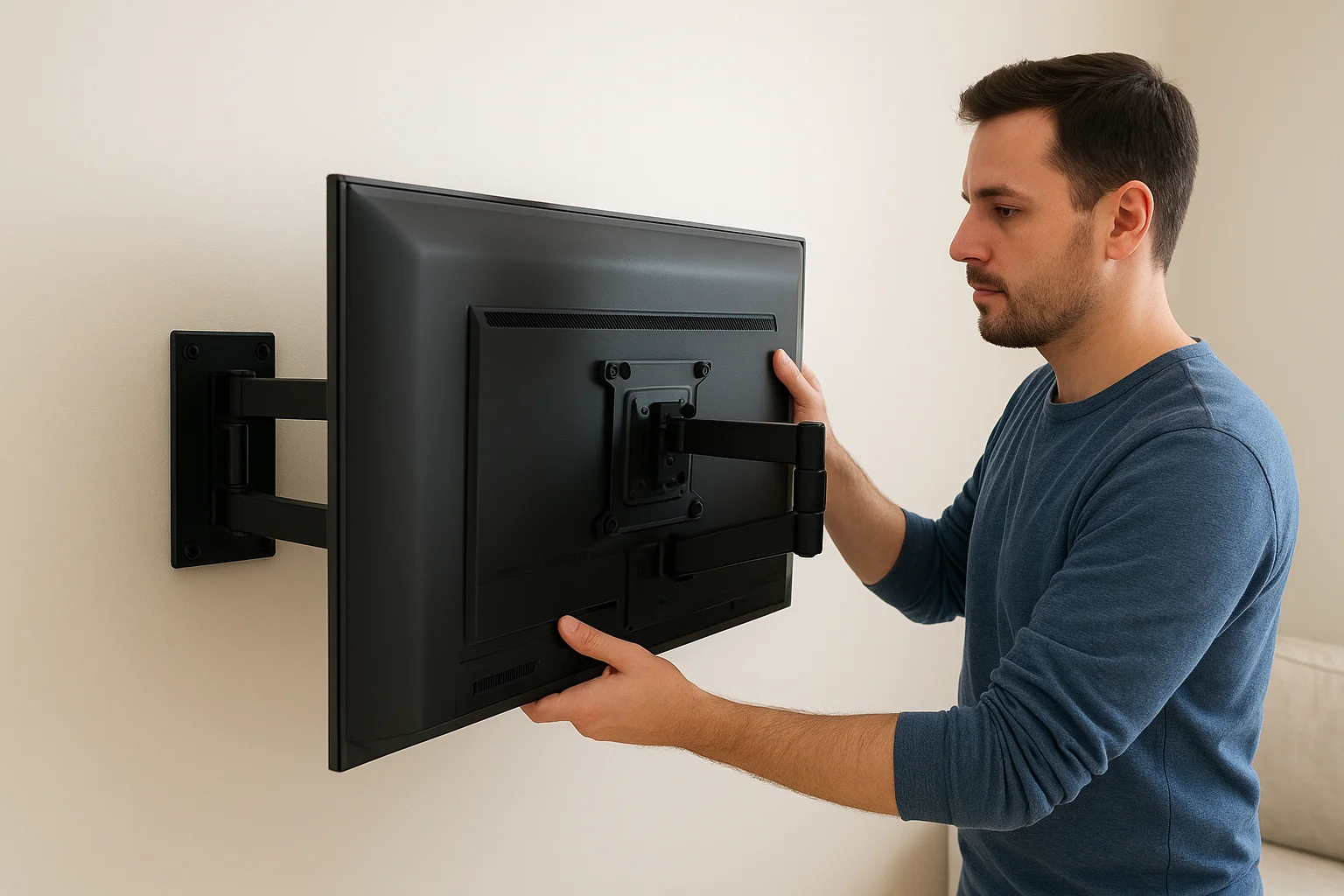
Finding the right height and angle
Height matters more than most people think. Center the screen at eye level while seated, usually 42 inches from the floor to the middle of the display.
Mount height should match how you sit, not how the wall looks empty above the fireplace.
Measure twice before drilling once, especially near outlets or vents that limit placement.
Step 2. Gather tools and check your wall
Grab your gear before you start punching holes. You'll want a stud finder, a drill with the right bits, a level, a socket wrench, and a pencil for marking hole locations. Skipping the stud finder is the number one mistake in TV mounting, since guessing at stud placement leads to crooked brackets and stripped anchors that won't hold weight for long.
Checking what's behind the drywall
Run the stud finder across the whole width of your planned mount area, not just one spot. Studs typically sit 16 inches apart on center, but older Boise homes and custom builds sometimes break that pattern entirely.
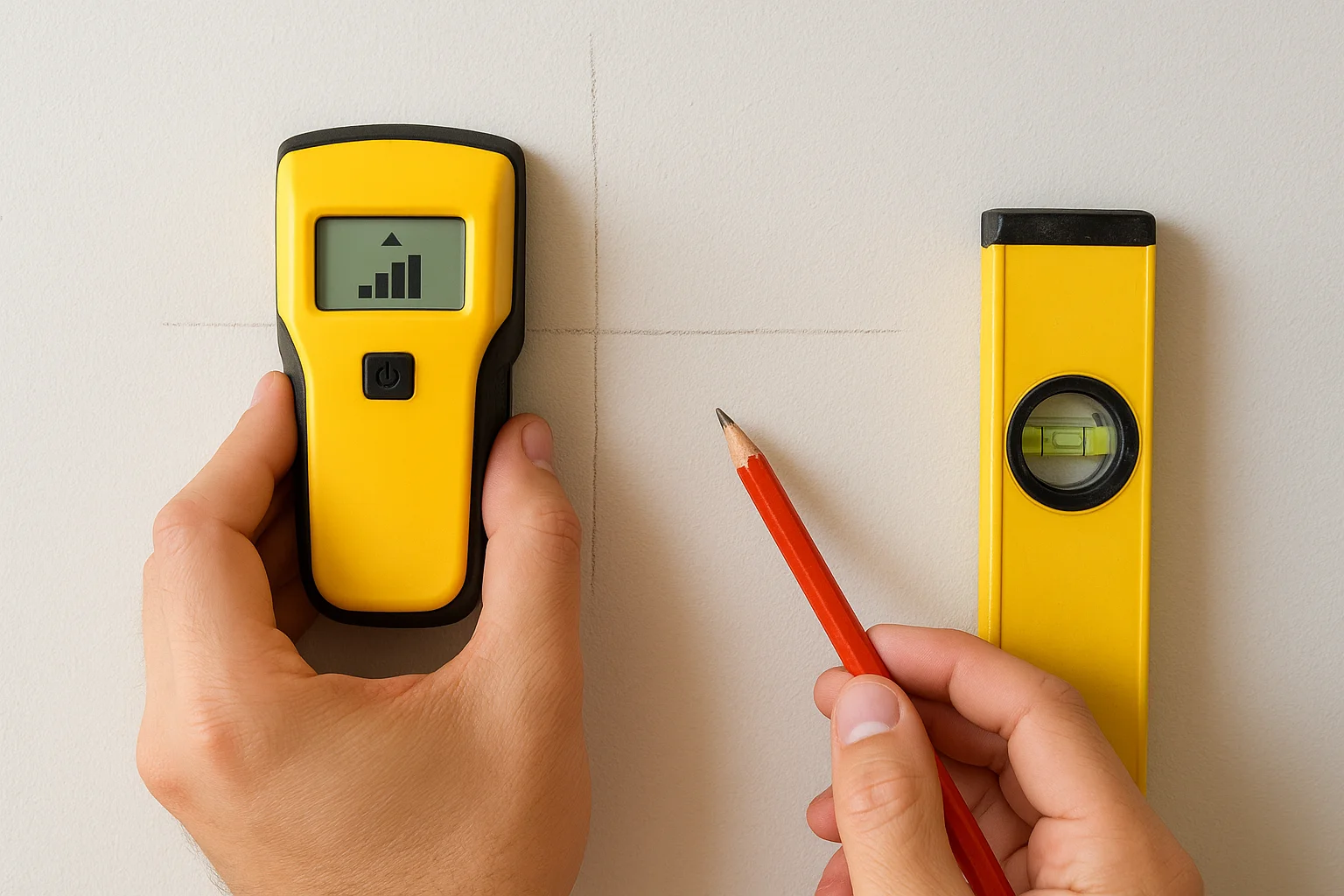
- Mark both edges of each stud, not just the center
- Tap the wall to listen for a hollow sound between studs
- Check for outlets, vents, or plumbing lines hidden behind the surface
- Confirm wall material: drywall, plaster, brick, or tile all need different anchors
A stud finder costs less than a service call, but skipping it costs a lot more.
When the wall says no
If you hit brick, stone, tile, or a wall with no stud where you need one, stop before you drill. This is exactly the point where DIY installations turn into wall damage, and it's worth calling a professional before committing to a hole you can't undo.
Step 3. Attach the bracket and hang the TV
Once you've confirmed stud locations, hold the wall bracket against the wall and mark every hole with a pencil. Drill pilot holes slightly smaller than your lag bolts, then attach the bracket with a socket wrench, checking the level after every bolt goes in. A bracket that's off by even a few degrees will look wrong from across the room, so recheck before you tighten the final bolt.
A level bracket takes an extra thirty seconds and saves you from redoing the whole job.
Mounting the TV plate
Next, attach the mounting plate to the back of your TV using the bolts included with your mount kit. Match bolt length to your TV's VESA pattern, since a bolt that's too long can crack the screen from the inside.
- Confirm VESA hole spacing matches your mount before drilling anything
- Use washers if the kit includes them
- Get a second person to help lift TVs over 40 inches
Locking it onto the wall bracket
Lift the TV onto the wall bracket and listen for the click or feel the plate seat into place. Give it a gentle tug downward to confirm it's locked, then step back and check that it sits level before you move on to cables.
Step 4. Conceal cables and test the setup
Surface raceways and in-wall signal-cable routes are assessed separately from standard mounting. Access, blocking, insulation, masonry, and fire stops can limit routing. Ordinary flexible TV power cords cannot be buried in walls; new outlets or electrical changes require appropriately licensed evaluation. Concealment needs a custom estimate, not an unconfigured online add-on.
Routing cables the right way
Confirm a permitted, unobstructed signal-cable pathway before making openings. Only appropriately in-wall-rated signal cables may use that route. Follow the listed power-system instructions and use appropriately licensed evaluation for electrical changes; never feed an ordinary TV power cord through a wall.
- Use in-wall rated cable for any power line
- Keep HDMI and power separated to avoid interference
- Leave slack at both ends in case you need to reposition later
Cable concealment is the detail that separates a mounted TV from a finished install.
Testing before you walk away
Power everything on and check your picture, sound, and any streaming devices before you clean up your tools. Confirm the TV holds its angle and doesn't drift. If anything looks off, this is the moment to fix it, not after the ladder's already put away.
Getting the view right for your space
DIY suitability depends on the exact TV, mount, structural support, tools, and lifting plan, not a blanket small-TV or single-stud rule. Use the practical criteria below before choosing an installation method.
Getting TV mounting right the first time means no cracked screens, no crooked brackets, and no cords hanging down your living room wall. Treasure Valley homes vary enough in construction that guessing rarely pays off.
If you'd rather skip the stud finder and ladder altogether, our technicians handle everything from bracket to cable in about an hour. Contact our team to schedule a clean, professional install.
Plan your Treasure Valley installation
Base TV mounting labor is $139 for 55 inches or smaller, $169 for 56–97 inches, and $199 for 98 inches or larger. Drywall has no wall surcharge; brick, concrete, stone/tile, and Other add $49 per TV. Optional supplied mounts cost $99 fixed, $119 tilting, or $199 full-motion, plus 6% Idaho sales tax on physical materials, not service labor. Fireplace installations, concealed wiring, electrical changes, and other custom work require an individual estimate. Online booking confirms eligibility, current pricing, and appointment availability before confirmation.
Request a TV-specific estimate or eligible booking. No appointment is confirmed until the existing flow checks your location, scope, and availability.
Installation scope and pricing · Browse TV mounting guides
Local scope reviewed October 14, 2026. Confirm current rates and eligibility before booking.
Need Expert Help?
Ready to implement these solutions in your own home or business?
Our Services
Expert TV Mounting Treasure Valley Homeowners & Businesses Trust

Home theater design and installation planned around your room, viewing goals, and equipment scope.
Serving the Treasure Valley
Local installation in your city