 (208) 991-3502
 Meridian, ID



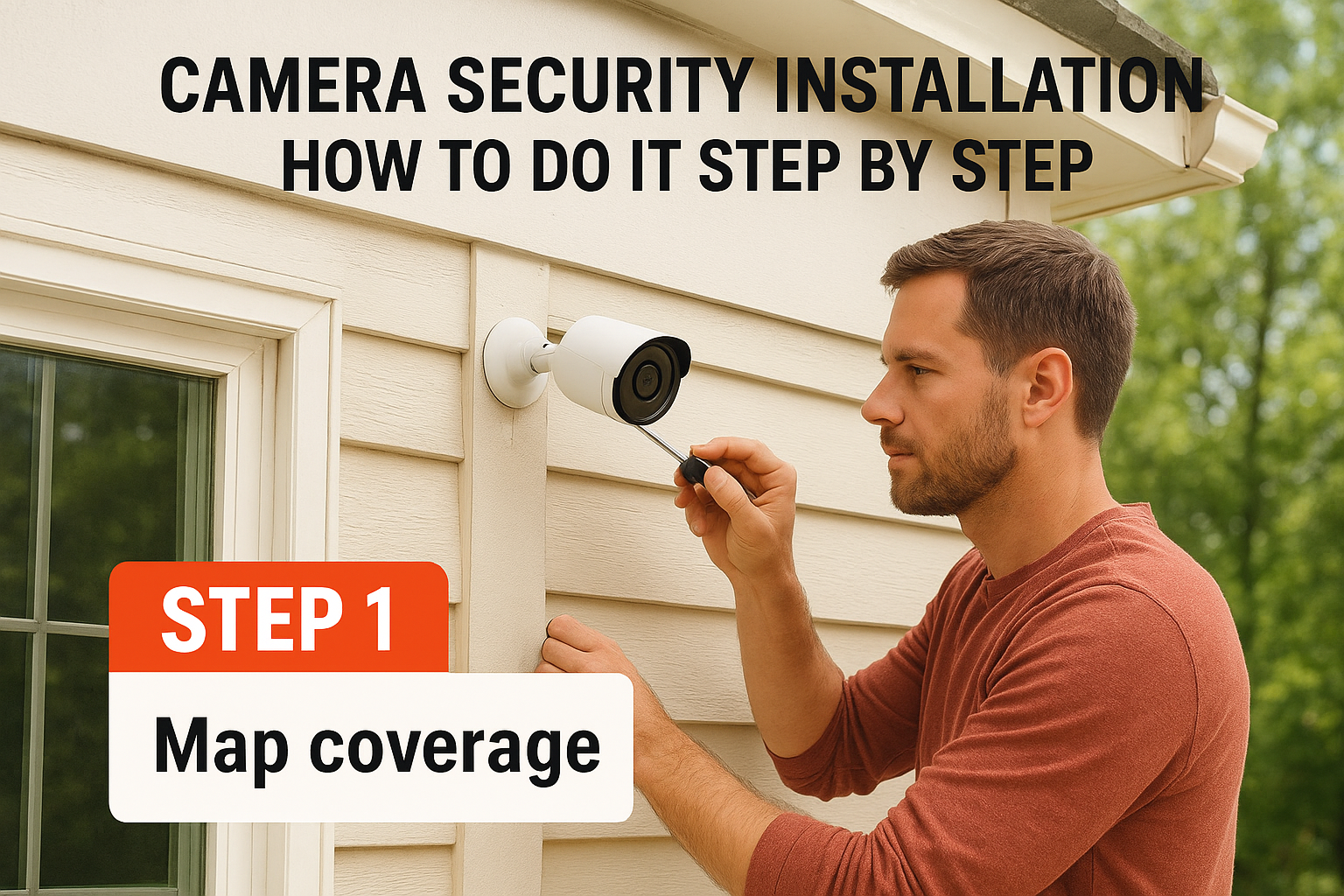

The most reliable way to handle camera security installation at home is to work in four moves. Map your coverage first. Pair and configure each camera in its app before you mount anything. Then mount...
The most reliable way to handle camera security installation at home is to work in four moves. Map your coverage first. Pair and configure each camera in its app before you mount anything. Then mount and power the cameras, and finally test and tune the settings. Wi-Fi and battery cameras are a fair DIY job. Wired systems with cable through walls and attics are usually worth handing to a licensed installer.
Most failed installs have nothing to do with the camera itself. The camera ends up where sun glare triggers false alerts, or where Wi-Fi is too weak to stream. A hole gets drilled before anyone checks what is behind the wall, or a side window is left as a blind spot. Each of these means more time on a ladder. For residential surveillance camera installation, the order of the work matters as much as the hardware.
This guide covers the decisions to make first, including DIY versus professional and what drives the cost. Then it walks through four steps you can follow in one weekend. We design and install camera systems across the Treasure Valley, so we also point out where local conditions and common mistakes change the plan.
What to decide before you install
Wireless and battery cameras are a reasonable DIY project, while wired systems are better left to a pro. Settle that choice, and your rough budget, before you buy anything, because everything else follows from it.
Can you install security cameras yourself?
Yes, for most Wi-Fi and battery cameras. You mount a bracket, pair the camera in an app, and aim it. A wired camera adds cable runs, drilled holes, and sometimes attic or crawlspace work. That is where mistakes get expensive.
| Wi-Fi or battery camera | Wired PoE camera | |
|---|---|---|
| Power | Battery, or a plug-in adapter | One Ethernet cable carries power and data |
| Installation | Mount, pair, aim | Cable through walls, eaves, or attic |
| Reliability | Depends on Wi-Fi signal and battery | Stable, independent of Wi-Fi strength |
| Best for | Renters, a few cameras, quick setup | Larger homes, permanent systems |
| DIY fit | Usually yes | Often better hired out |
Choose wireless if you want it done this weekend, and wired if you want it to run for years without babysitting.
What drives the cost of professional installation
Quotes vary because no two houses are wired the same way. The number you get depends on a handful of factors, so a fixed price list without an on-site look can mislead you.
| Cost factor | Lower effort | Higher effort |
|---|---|---|
| Camera count | 1 to 2 cameras | 4 or more cameras |
| Connection | Wi-Fi or battery | PoE cable runs |
| Access | Single story, open attic | Finished walls, two stories, stucco |
| Recording | Cloud or SD card | NVR with hard drive |
| Existing setup | Fresh start | Old cabling or recorder to assess |
If you already have an older system, ask for an assessment of the cabling, recorder, and network before replacing everything. Often you can upgrade in stages. Whoever you hire, confirm they are licensed and insured and that they warranty their work. Ours carries a one-year warranty on all work. Then get the scope and total in writing.
Step 1. Map your coverage and choose cameras
Start with a sketch of your property and mark every way someone could reach your home. Place the cameras on that sketch before you shop, because the plan sets how many cameras you need and what type.
Draw the plan and count cameras
Walk the outside of your house and note every door, ground-floor window, driveway, and garage entrance. Then add the interior spots where a person would pass, such as the main hallway or the stairs. Cover the front and back doors first, then side windows, since burglars favor less visible entries.
Here is a worked example for a typical single-story, three-bedroom home:
- Front door and porch
- Back door and patio
- Driveway and garage door
- Side yard or off-street window
- Optional: indoor camera in the main hallway
That gives you four outdoor cameras and one indoor camera. A kit that offers four cameras plus one add-on would fit that house.
Choose positions that work
Mount outdoor cameras eight to ten feet up, out of easy reach, with a clear line of sight. Cameras with a 110 to 180 degree field of view cover more, so use the spec sheet to check that your angles overlap and leave no blind spots. Avoid pointing a lens straight at the sun, a streetlight, or a bright porch light, since glare washes out the image and triggers false alerts.
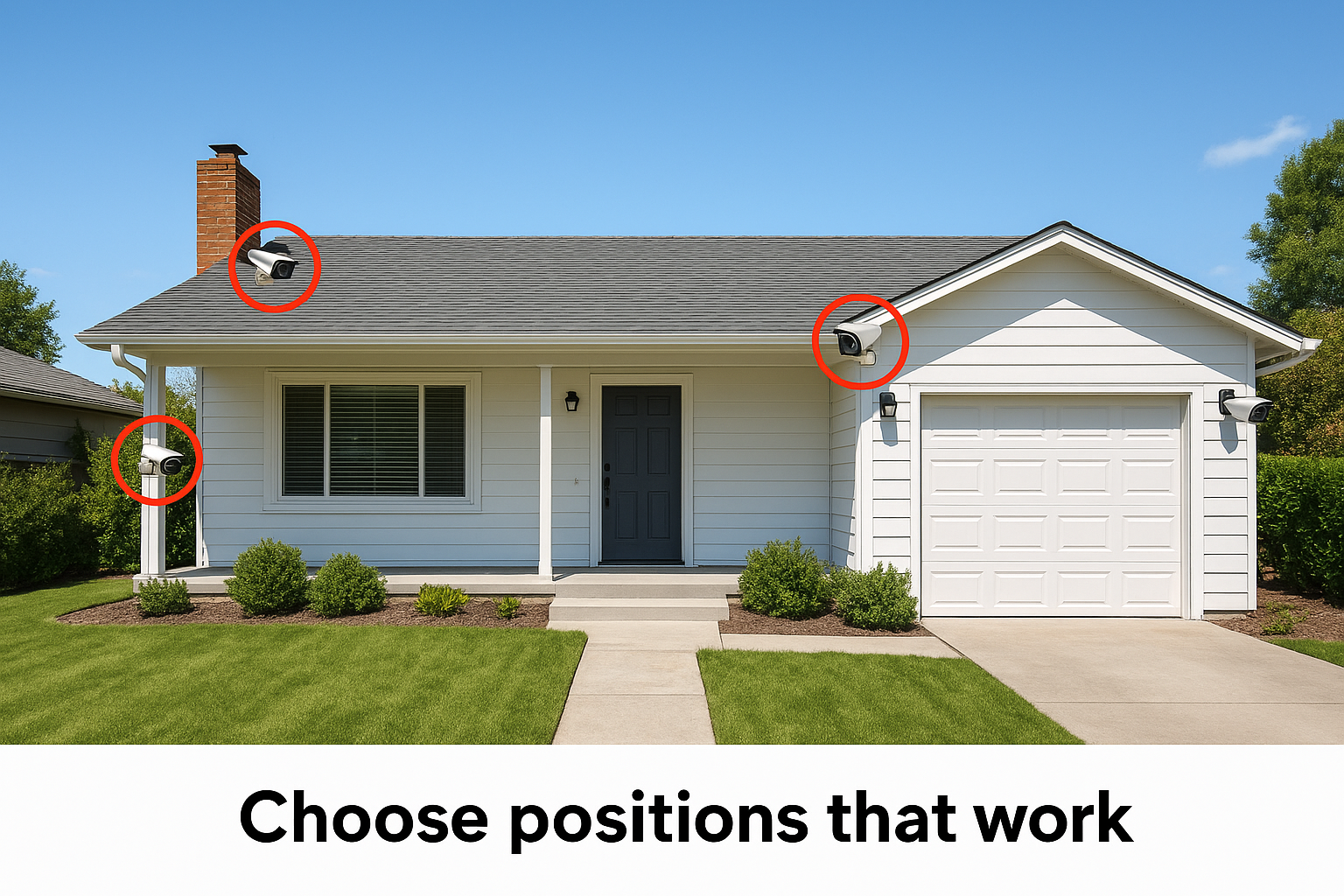
Local conditions matter. Treasure Valley summers are hot and sunny, and winters drop below freezing, so choose outdoor-rated cameras and expect sun glare on east- and west-facing walls. Aim only at your own property. Skip bedrooms and bathrooms indoors, and avoid recording your neighbor's yard or windows. Audio recording is regulated more strictly than video in many states, so turn audio off on cameras that face public areas unless you have checked the rules.
Decide where every camera goes before you buy, because placement dictates the camera count, the cable length, and the power plan.
Step 2. Set up each camera before you mount it
Pair every camera with its app on a table or at ground level before it goes on a wall. Fixing a connection problem on the ground takes a minute, while the same fix on a ladder takes much longer.
Pair and configure at ground level
Follow this order for each camera:
- Download the manufacturer's app and create your account.
- Power the camera and scan the QR code or follow the in-app pairing.
- Join your Wi-Fi. Many cameras connect only on the 2.4 GHz band, so check the spec first.
- Update the firmware right away.
- Set a strong, unique password and turn on two-step verification.
- Name the camera by location, such as "Back patio", so alerts make sense later.
For PoE cameras, connect them to the PoE switch or recorder with a short temporary cable and confirm that the video appears.
Test each spot before drilling
Take every camera to its planned location and hold it there temporarily with removable tape or by hand. Open the live view and check the picture, the night view after dark, and the signal strength in the app. A weak signal at the mounting point is the most common surprise. If it is weak, move the camera, add a Wi-Fi extender or mesh node, or switch to a wired model. If the shot is fine, mark the screw holes and move on.
Never drill a hole until the camera has shown you a clear picture and a strong signal at that exact spot.
Step 3. Mount the cameras and run power or cable
Mount into solid material, seal any hole that goes through an exterior wall, and keep cable runs safe and short. Rushed mounting is how cameras fall or water gets in.
Mount the camera securely
Gather a drill, screws that suit your wall type (wood, stucco, brick), a stud finder, a level, exterior silicone sealant, and a ladder you trust. Use the mounting template that comes with the camera.
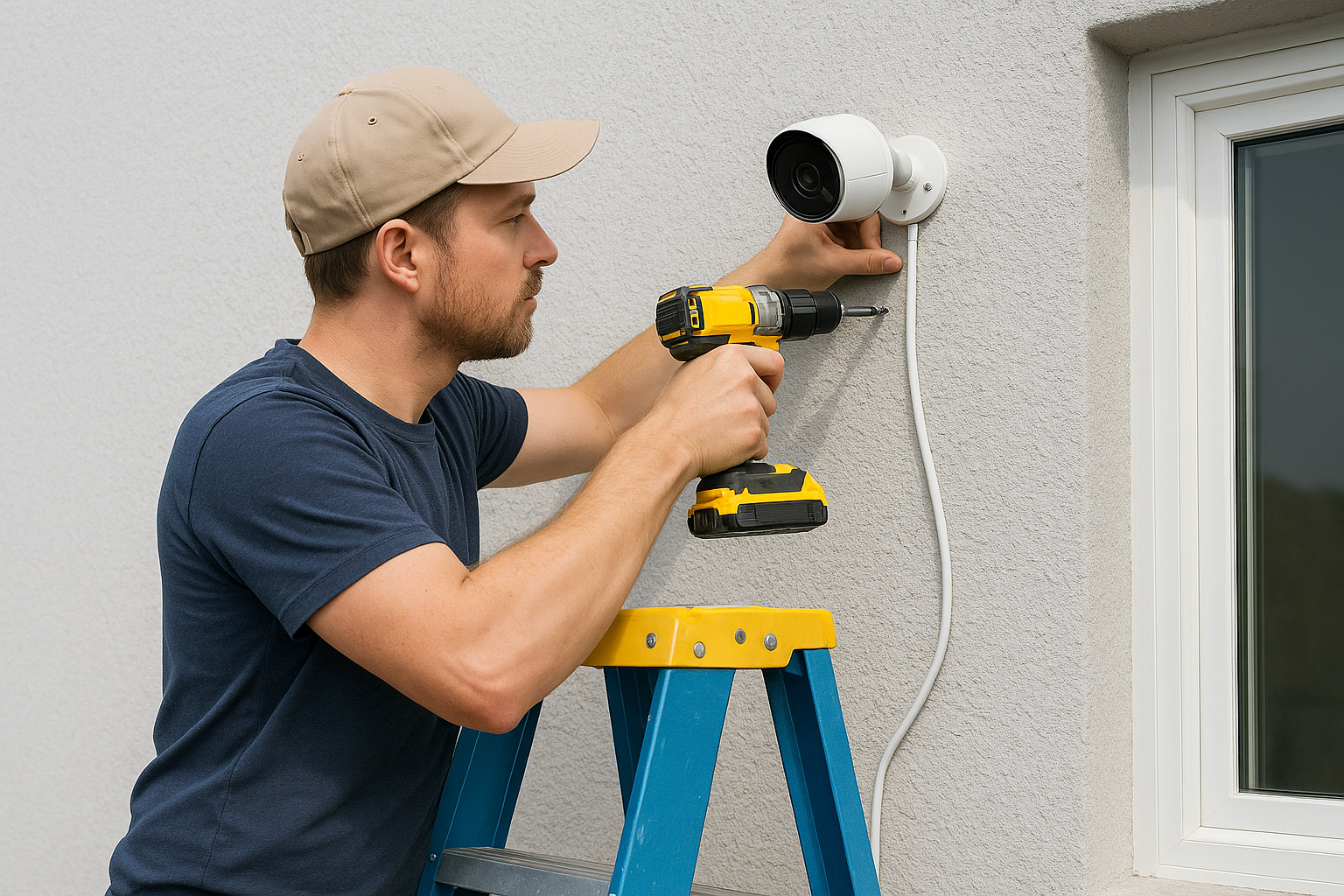
- Mark the holes with the template and check them with a level.
- Drill pilot holes, and add wall anchors for brick or stucco.
- Screw the bracket on firmly and attach the camera.
- Aim it, then tighten the adjustment joint.
- Seal around screw holes and cable entry points with exterior silicone.
If a cable enters the house, leave a small downward loop just outside the hole, called a drip loop, so rainwater runs off the loop instead of into the wall.
Run wiring for wired cameras
Plan the cable route from each camera to the recorder or switch, then measure it. Standard Ethernet runs reach up to 328 feet (100 meters), and Cat6 cable is a solid choice for PoE cameras. Before you drill, use a stud finder and check the other side of the wall for wiring and plumbing. Keep low-voltage cable away from electrical wiring.
Connecting a camera to your home's mains voltage is electrician work. So is cable through finished walls, attics, or stucco. Professional low-voltage wiring in Cat6 or Cat6A is part of the structured-cabling work we do for new builds and retrofits across the valley.
A neat mount and a sealed cable entry keep a camera working through years of Idaho weather, so spend your time there.
Step 4. Test, tune, and maintain the system
Run a full test of every camera, then tune the motion zones and alerts so you are not buried in notifications. After that, a short monthly check keeps the system dependable.
Tune motion zones and alerts
Walk through each camera's view in the daytime and again at night. Then adjust the settings:
- Draw motion zones around doors, driveways, and walkways, and exclude trees, the street, and neighboring yards.
- Lower sensitivity if wind-blown branches trigger alerts.
- Turn on person detection if the camera supports it.
- Set alert schedules, so you get notified while you are away but not every time you walk out your own door.
- Confirm that live view works from your phone on cellular data, not just your home Wi-Fi.
Choose storage and keep up maintenance
Decide where footage lives. Cloud storage lets you watch clips from anywhere, but many brands charge a subscription. Local storage on an SD card or a recorder avoids that fee, and some systems offer both. Whichever you choose, test a playback of a recorded clip so you know the footage is really saving.
Once a month, wipe each lens, check battery levels, and look for loose brackets or spider webs near the lens. Battery cameras often need a recharge every few months, depending on use and weather, so put it on your calendar. Install firmware updates when they appear.
A camera that nobody checks is a camera that fails quietly, so a ten-minute monthly review is part of the installation.
Next steps for your cameras
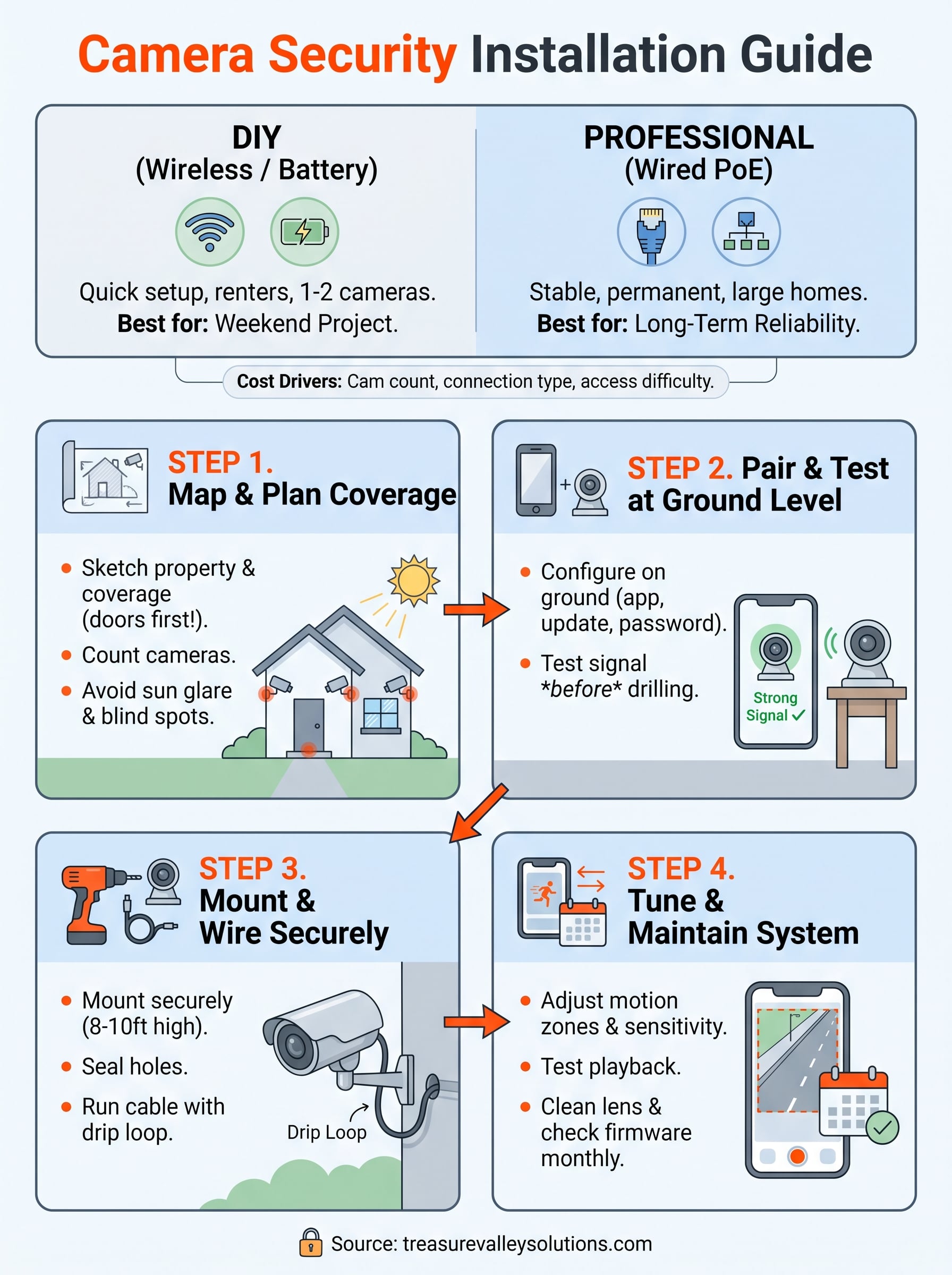
Good camera security installation comes down to four things done in order. Plan the coverage, pair each camera before mounting, mount and wire it carefully, then test and tune until the alerts are useful. Wireless cameras suit a weekend DIY job, and wired systems repay professional wiring.
If your property needs cable through walls, several cameras, or an upgrade to an older system, you can book a free on-site consultation with Treasure Valley Solutions. Our Meridian team will look at your layout, walk through your options, and give you a no-obligation estimate.