 (208) 991-3502
 Meridian, ID



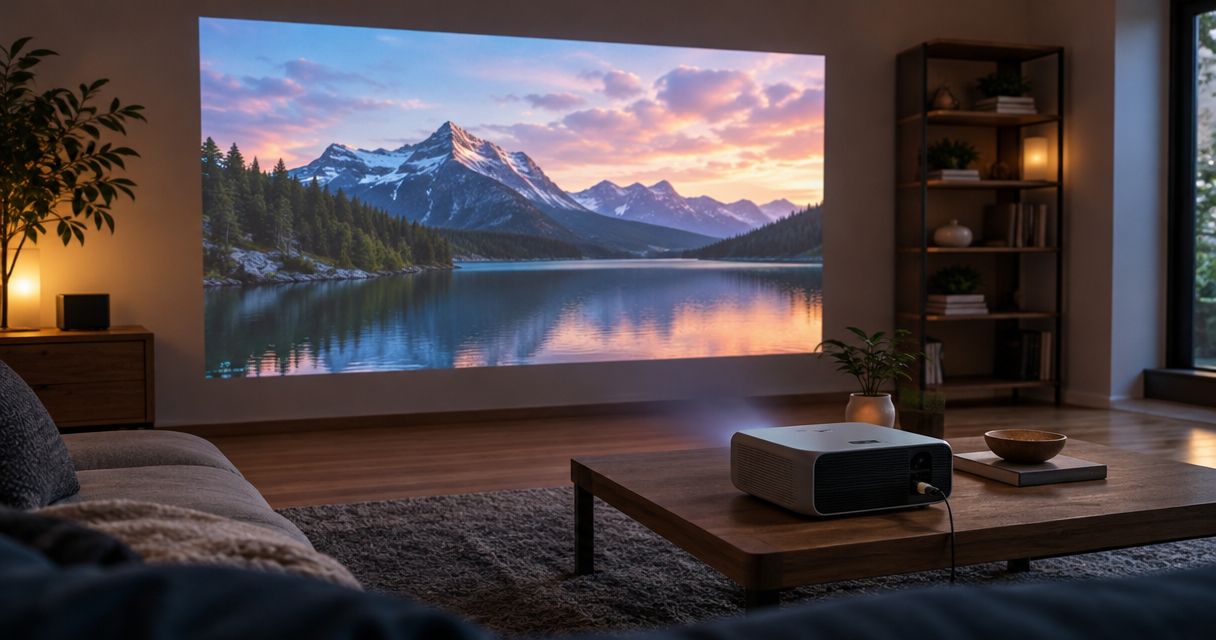

Find the best home theater projectors for your room. Choose long-throw for dedicated theaters, then compare placement, screens, lighting, and wiring.
Best overall for a dedicated room: a long-throw home theater projector. Best for a shared living room: an ultra-short-throw projector. Best for limited mounting distance: a short-throw projector. Best for occasional use: a portable projector. The best home theater projectors in 2026 fit your room, screen, and viewing habits before they win on specifications.
- The best home theater projectors match your room: long-throw for dedicated theaters, ultra-short-throw for front-of-room placement.
- Choose short-throw projection when mounting distance is limited; choose portable projection when moving the setup matters most.
- Treasure Valley Solutions installs home theater systems and concealed wiring for homeowners throughout the Treasure Valley.
- Confirm screen compatibility, mounting geometry, light control, and audio connections before choosing a projector.
Why room fit matters more than a projector ranking
A projector purchase also commits you to a screen location, a viewing position, and a cable route. Choose those together. A model with appealing specifications still fails the room if it cannot produce the required image from the available mounting position.
For Treasure Valley homeowners, Treasure Valley Solutions handles home theater installation with concealed wiring. Plan the installation before choosing the projector, not after the equipment arrives.
This 2026 guide ranks projector configurations by use case rather than treating every room as a dedicated cinema. These categories describe installation choices, not mutually exclusive technologies: a portable projector can also have a short throw, for example.
What makes the best home theater projectors?
Use these criteria to narrow the field before comparing individual models:
- Room geometry: The projector must fill your intended screen from a position that leaves room for seating, doors, and walkways. Check the manufacturer's placement instructions.
- Light control: Windows, lamps, and reflective surfaces affect the image you see. Evaluate the room under the lighting conditions you actually use.
- Screen compatibility: Screen material, flatness, and projection angle belong in the same decision. Ultra-short-throw installations need particular attention here.
- Image adjustment: Optical zoom and lens shift offer placement flexibility where supported. Digital keystone correction reshapes the image electronically and can reduce usable image detail.
- Source and audio connections: Confirm the complete path between your source, projector, and sound system. For gaming, check input lag at your intended resolution and refresh rate.
- Daily operation: Consider startup, fan noise, remote control, ventilation, and access for maintenance. A workable installation must be comfortable to use, not merely possible to assemble.
Home theater projector options at a glance
| Rank and option | Best for | Standout advantage | Key limitation |
|---|---|---|---|
| 1. Long-throw home theater projector | Dedicated movie rooms | Placement behind the seating area or overhead | Requires sufficient distance and a planned cable route |
| 2. Ultra-short-throw projector | Shared living rooms with front-wall furniture | Places the projector close to the screen wall | Cabinet height, screen flatness, and alignment need careful coordination |
| 3. Short-throw projector | Rooms with limited mounting distance | Produces a large image from closer placement than a conventional long-throw setup | Exact throw geometry can restrict mounting choices |
| 4. Portable projector | Occasional viewing and moving between rooms | Easier relocation and temporary setup | Repeated setup and model-dependent picture limitations |
The default recommendation is long-throw projection for a room you can dedicate to movies. Choose another configuration when the room creates a specific reason to do so, rather than assuming newer placement styles automatically produce a better picture.
1. Long-throw projector: best for dedicated movie rooms
A long-throw home theater projector sits farther from the screen than short-throw alternatives. Typical installation positions include a ceiling mount or a suitable rear shelf, subject to the model's throw requirements and ventilation instructions.
This configuration suits a room where you can coordinate seating, screen size, light control, and equipment placement. It also separates the projector from furniture at the screen wall, leaving that area available for speakers or cabinetry.
Long-throw projector pros:
- Supports a permanent layout built around movie viewing.
- Keeps projection equipment away from the screen wall.
- Offers ceiling or shelf placement when the model and room support it.
- Can provide optical placement adjustments on appropriately equipped models.
Long-throw projector cons:
- Needs enough projection distance for the intended image size.
- Requires a signal and power plan at the mounting location.
- Can place fan noise near viewers if the mounting position is poorly chosen.
Best for: Homeowners building a dedicated theater or converting a room primarily for movies.
For a 2026 installation, identify the mounting position before comparing image specifications. Check the actual throw-distance table for each candidate; the label long-throw does not guarantee that a particular model fits your room.
Verdict: Buy this configuration for a permanent theater when the room supports its placement requirements.
2. Ultra-short-throw projector: best for shared living rooms
An ultra-short-throw projector sits close to the screen wall and projects upward at a steep angle. Its defining benefit is equipment placement near the front of the room, not an exemption from screen planning or light control.
The cabinet, projector, and screen must work as one assembly. Changing furniture height or moving the projector can change where the image lands, so establish the layout before treating the cabinet as ordinary storage furniture.
Ultra-short-throw projector pros:
- Keeps the projector near front-wall equipment.
- Avoids a projector position behind the seating area.
- Reduces the need for a signal cable crossing the room when sources are nearby.
- Suits living rooms where an overhead mounting position conflicts with the layout.
Ultra-short-throw projector cons:
- Requires careful alignment and a sufficiently flat projection surface.
- Makes furniture depth and height part of the image-placement calculation.
- Does not eliminate the effect of ambient light on the picture.
Best for: Shared living rooms where front-of-room placement solves a real installation problem.
If you choose an ambient-light-rejecting screen, confirm that it supports ultra-short-throw projection and the required installation orientation. Screen materials designed for different projection angles are not interchangeable by default.
Verdict: Buy this configuration for front-wall placement; skip it if you expect furniture and screen alignment to be unimportant.
3. Short-throw projector: best for limited mounting distance
A short-throw projector produces its image from closer to the screen than a conventional long-throw configuration. It differs from ultra-short-throw projection in placement geometry, so do not substitute one category's mounting assumptions for the other.
This option addresses rooms where the available projection distance is the main obstacle. The advantage disappears if its required mounting position lands above a walkway, conflicts with seating, or prevents safe cable routing.
Short-throw projector pros:
- Works with less projection distance than a comparable long-throw arrangement.
- Offers an alternative when a rear mounting position is unavailable.
- Can support a fixed installation in a constrained room.
Short-throw projector cons:
- Exact placement requirements can leave limited mounting flexibility.
- People or furniture can still interrupt the light path.
- Model selection must account for movie and gaming requirements separately from throw distance.
Best for: Rooms where a measured distance constraint rules out the preferred long-throw installation.
Do not assume that a smaller room requires a short-throw model. A smaller screen or a different mounting location can change the decision. Compare the complete layout rather than choosing from the category name alone.
For your 2026 shortlist, mark the lens position and image boundaries before selecting mounting hardware. Check whether the manufacturer's measurements start at the lens, cabinet, or another reference point.
Verdict: Buy this configuration when measured geometry supports it; hold if the mounting position remains undecided.
4. Portable projector: best for occasional viewing
A portable projector prioritizes relocation and temporary setup. It suits viewers who want to put the equipment away or use it in different rooms rather than maintain a permanently aligned theater.
Portability does not establish picture quality, battery operation, or application compatibility. Check those separately for each model, including whether your preferred streaming source requires an external device.
Portable projector pros:
- Easier to move between suitable viewing locations.
- Avoids committing to a permanent projector mount.
- Supports occasional viewing without leaving the full setup in place.
Portable projector cons:
- Moving the projector means repeating placement and focus checks.
- Image output and adjustment capabilities vary by model.
- Temporary cables and stands need deliberate placement around walking routes.
Best for: Occasional movie nights where easy storage matters more than a fixed, repeatable setup.
Evaluate portability as a practical requirement, not a substitute for screen and lighting checks. A compact unit still needs power unless battery operation is explicitly supported, plus a suitable surface and a workable audio connection.
Verdict: Buy this configuration for occasional viewing; skip it as the default for a dedicated theater.
Plan the installation before choosing a model
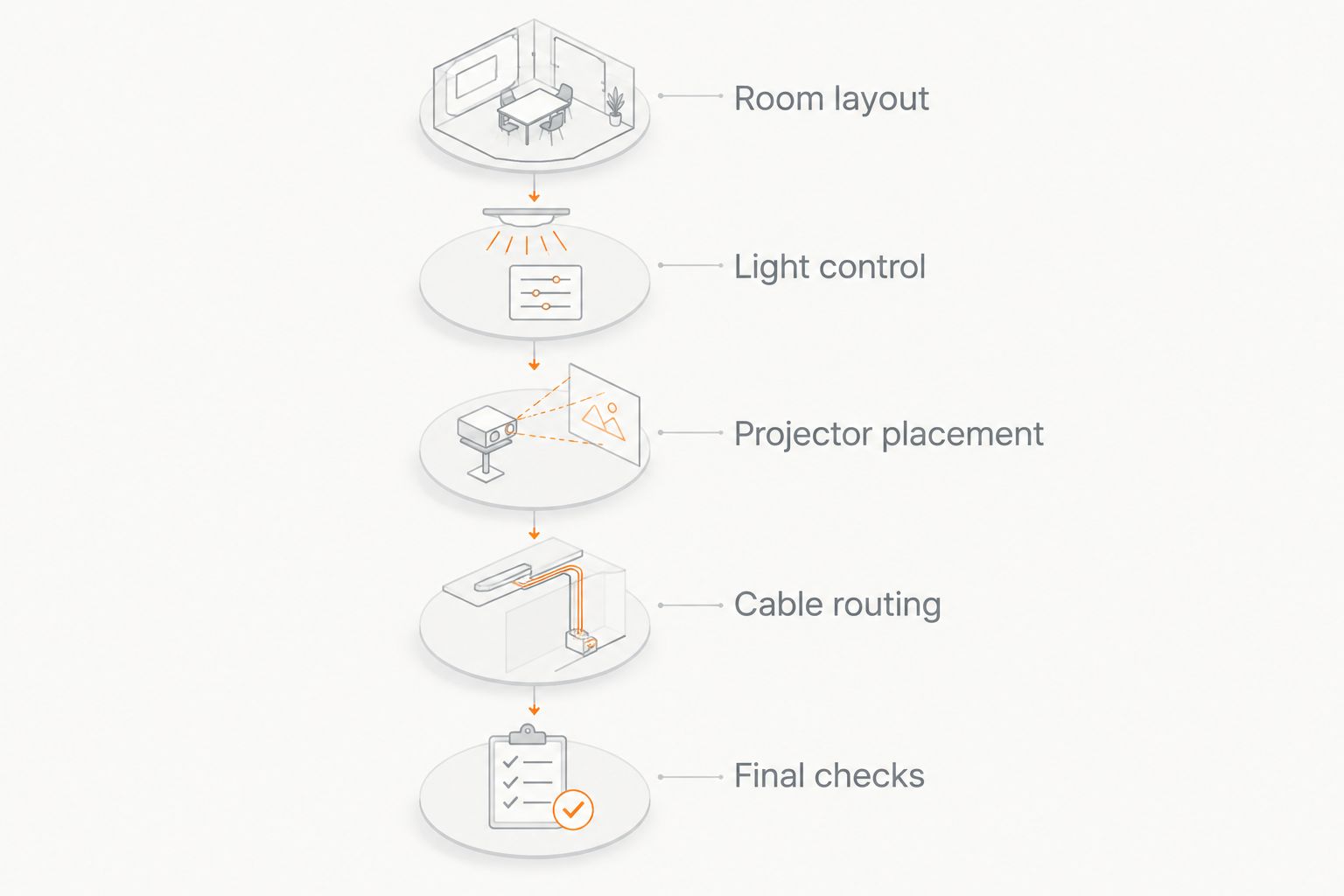
Use this sequence to turn a projector category into a workable room plan. Treasure Valley Solutions provides home theater and low-voltage wiring installation in Boise, Meridian, and the greater Treasure Valley, so equipment placement and concealed cable routes belong in the same discussion.
Room layout
Choose the screen wall and seating position first. Account for doors, windows, ceiling fixtures, and access around the seats. For a conventional 16:9 screen, confirm both image width and height rather than relying only on the diagonal measurement.
Light control
Inspect daylight and evening lighting separately. Identify which windows need treatment and which lights must remain on during viewing. A showroom image does not establish how the same projector will look with your room's lamps and windows.
Projector placement
Use the specific model's throw chart and mounting instructions. Check lens position, ventilation clearance, and service access. Prefer correct physical placement over relying on digital image correction to rescue a mismatched location.
Cable routing
Map power, video, network connections where needed, and the audio path. Do not assume that an HDMI connection alone establishes support for every desired video or audio format. Confirm the source, receiver, projector, and cable as a complete signal chain.
Final checks
Test the content you use before closing out the installation. Include 24 frames-per-second movie playback and 60 frames-per-second gameplay if both matter to your household. Check focus across the image, dialogue clarity, control operation, and fan noise from the seats.
Audio deserves its own layout rather than becoming an afterthought. A 5.1-channel system uses left, center, right, and surround channels plus a low-frequency effects channel; plan speaker locations and wiring alongside the projected image.
Plan your home theater installation
Coordinate projector placement, audio, and concealed wiring for your Treasure Valley home.
How these recommendations are ranked
The ranking prioritizes room geometry, light control, screen compatibility, connections, and daily operation. Long-throw projection takes the default position for dedicated rooms; the other categories address front-wall placement, limited distance, or frequent relocation.
This is an installation-based buying guide, not a laboratory ranking of individual models. The 2026 recommendation is to settle the configuration first, then compare model-specific performance within the category that actually fits.
Which home theater projector should you choose?
Choose a long-throw projector if you have a dedicated room and a suitable mounting position. Choose ultra-short-throw for front-wall placement, short-throw for a verified distance constraint, or portable projection for occasional setups.
Treasure Valley Solutions installs home theater systems for homeowners who want coordinated audio/video and concealed wiring. Bring a room plan, intended screen position, and source-device list to the installation discussion; those details make the projector decision concrete.
FAQ
What's the best home theater projector for my room?
The best home theater projector is the one that fits your screen size, mounting distance, lighting, and source devices. Start with long-throw projection for a dedicated room, then consider other configurations when placement or portability creates a specific need.
Is an ultra-short-throw projector better than a long-throw projector?
An ultra-short-throw projector is better for front-wall placement, not automatically better for image quality. Choose between the configurations by checking room geometry, screen compatibility, and model-specific performance.
Can I use a projector in a living room with windows?
You can use a projector in a living room with windows, but ambient light affects the visible image. Plan window treatments, lighting, and a compatible screen around the conditions in which you actually watch.
Do I need a special screen for an ultra-short-throw projector?
An ultra-short-throw projector needs a screen compatible with its projection angle and a sufficiently flat surface. If you select an ambient-light-rejecting material, confirm that the screen manufacturer specifies compatibility with ultra-short-throw projection.
Is a portable projector a good replacement for a permanent theater?
A portable projector is better suited to occasional viewing and relocation than to a permanently aligned theater. Compare image output, focus adjustment, connections, and audio requirements before making it your main display.
What should I check before ceiling-mounting a projector?
Check throw distance, lens position, mounting support, ventilation, power, and the signal-cable route before ceiling-mounting a projector. Follow the projector and mount manufacturers' installation instructions rather than choosing a location by appearance alone.
Who installs home theater projectors in the Treasure Valley?
Treasure Valley Solutions provides home theater and audio/video installation for homeowners and businesses in Boise, Meridian, and the greater Treasure Valley. Its services include low-voltage wiring and clean installations with concealed cables.
One last thing
Mark the proposed image boundary on the wall before ordering the screen. Sit in every intended seat and check sightlines, speaker placement, and nearby doors. For a 2026 home theater, the most useful first comparison is between possible room layouts—not between projector specification sheets.